
AI Strategy Assistant
Describe trading rules and use guided AI support for development tasks.
An installable local desktop application that helps structure, develop, review, test and export MT4/MT5 Expert Advisor projects with AI assistance.
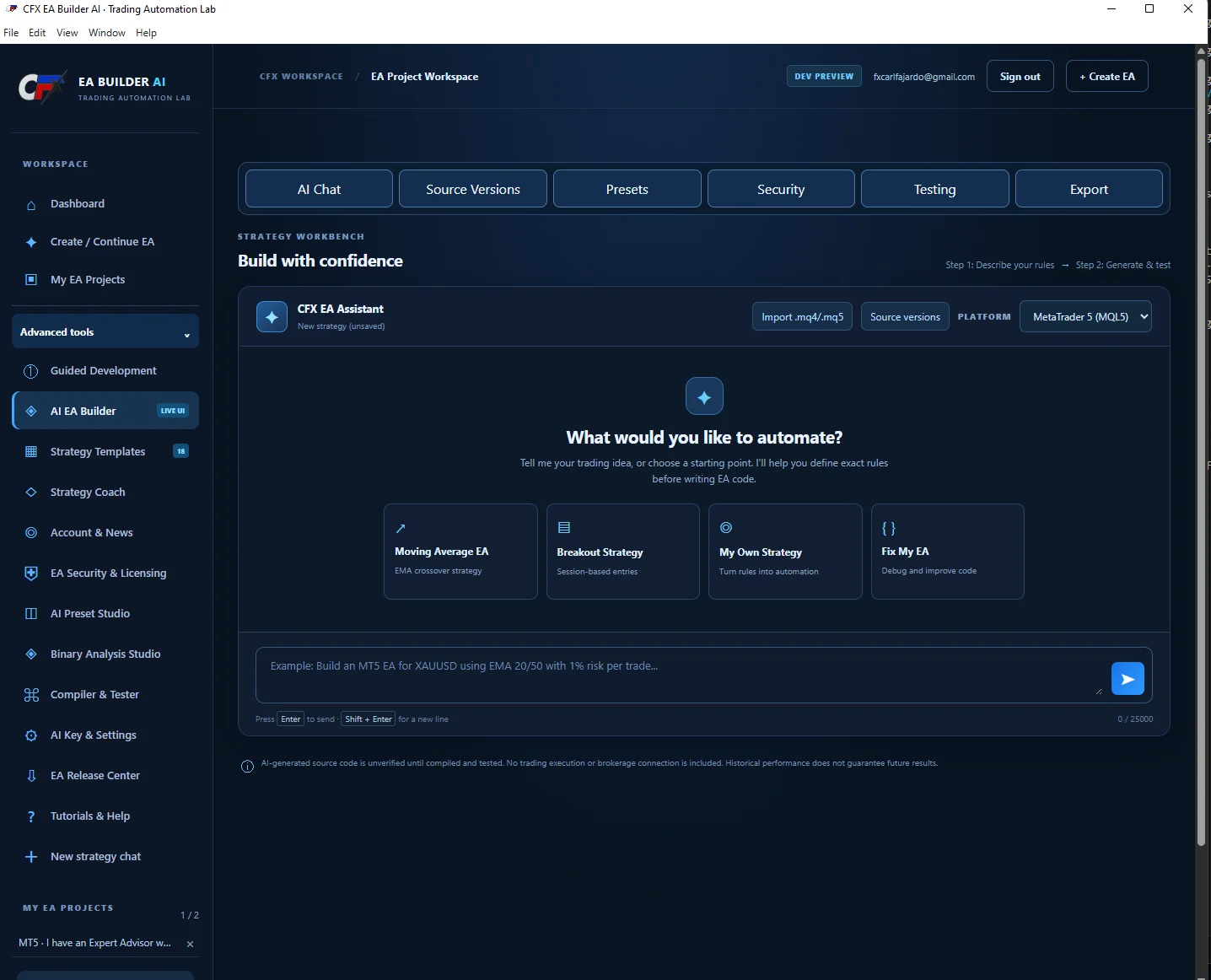
The screenshot is from your actual Windows application, not a conceptual interface.
Turning strategy ideas into testable EAs requires consistent project storage, source versions, platform-specific code and review controls.
THE APPROACHCreate a local-first EA workspace where traders define trading logic, use AI assistance, review source changes, test and export while retaining control of their local files.
Each feature is described at a public level; access-controlled functions remain inside the original CFX system.
Describe trading rules and use guided AI support for development tasks.
Create, save, close and reopen EA projects on an installed computer.
Choose MetaTrader 4 or MetaTrader 5 and import existing .mq4/.mq5 source.
Source versions, presets, security, testing and export workflows.
Guided Development, Strategy Templates, Binary Analysis Studio, AI Preset Studio and Compiler & Tester workspace.
Generated source is explicitly unverified until reviewed, compiled and tested; no automatic live brokerage execution.
A high-level view of how the system or program is intended to support the trading process.
Create an EA project and choose MT4 or MT5.
Describe the strategy and specify risk management.
Use AI assistant and templates to explore implementation.
Review source versions, compile, test and validate.
Export project artifacts under human oversight.
Actual interface screenshots and records, with historical context and limitations.
Actual CFX EA Builder AI desktop workbench screenshot provided October 24, 2026.
Evidence labels identify existing components or project milestones. Private implementation files and proprietary trading logic are not exposed.
Explore the complete collection of research tools, strategy systems, automation and education.